Free PDF Accessibility Checker
PDFix Desktop Lite – free PDF validator for Windows, macOS and Linux
The only free PDF/UA checker available for macOS and Linux. Validate PDF/UA, WCAG and Section 508 with veraPDF – 100% local, no registration.

Free
No purchase required to validate
veraPDF
Industry-supported PDF/UA Validator build-in
PDF/UA
uA-1, UA-2, WCAG 2.2, Section 508, ADA, EAA
100%
Local – no document sent to cloud
FREE – NO CATCH, NO TIME LIMIT
What is included in PDFix Desktop Lite for free?
PDFix Desktop Lite is the full PDFix Desktop application – not a stripped-down version. Every feature is available immediately after download. The only difference from a paid license is that saved output documents carry a watermark.
Free to use – watermark on saved output
When you save a PDF after fixing, the output document carries a watermark.
To save documents without a watermark – for production workflows or document distribution – purchase PDFix Desktop.
BUILD-IN PDF/UA VALIDATION
PDF/UA validation – powered by veraPDF
PDFix Desktop Lite includes the industry-standard veraPDF validation engine – backed by the PDF Association and the Open Preservation Foundation. No separate tool, no extra setup, no cost.
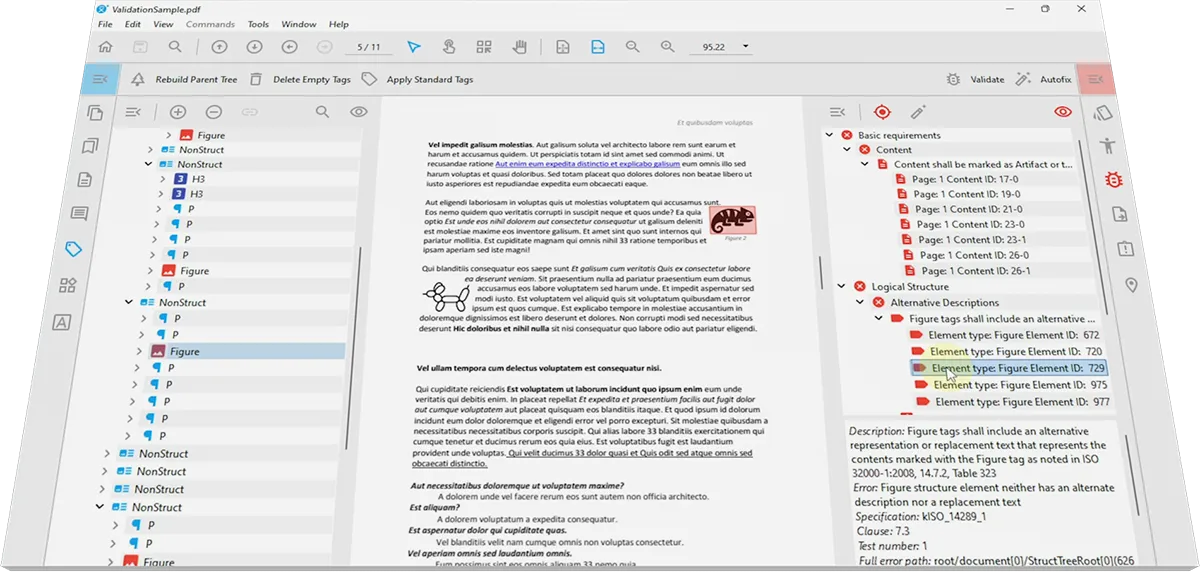
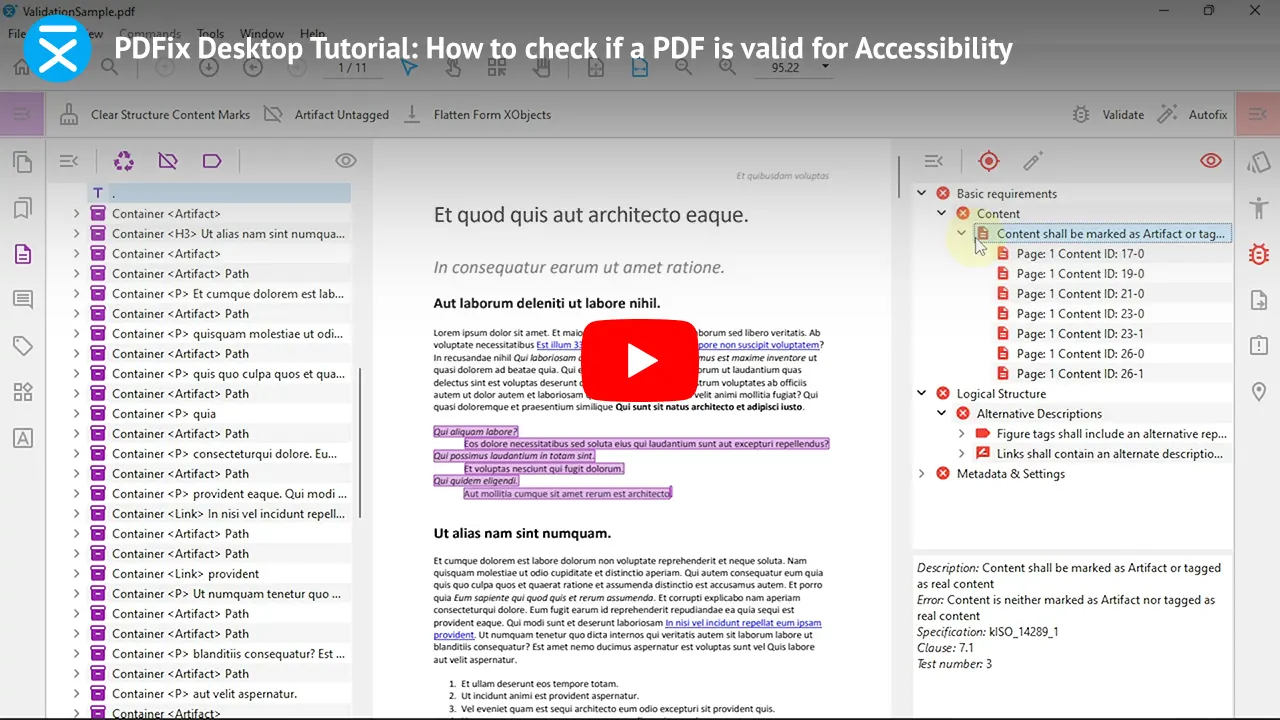
veraPDF inside PDFix Desktop
Validate after every fix and after every batch run. Errors appear in the Content Panel with exact Matterhorn Protocol references → navigate directly from each error to the problematic element in document structure.
PDFIX DESKTOP NEW IN 2026
Validate every PDF at once – batch validation in one view
Drop a folder into the Application Dashboard view and run PDF/UA validation across the entire batch in a single click. No opening files one by one. No switching tools.
VALIDATE
Drop a folder. veraPDF runs across the entire batch.
LOCATE
Issues highlighted with description and exact location.
FIX
Hit Fix Error – applies fix across the whole batch.

APPLICATION VIEW
Full-folder batch validation – no file-by-file workflow
DOCUMENT VIEW
Remediation Actions Pane

Frequently Asked Questions
Is PDFix Desktop Lite really free?
Yes – permanently free, with no time limit and no registration required. PDFix Desktop Lite is a free PDF reader, PDF accessibility checker, and a fully featured PDFix Desktop application. The only limitation is that saved PDFs contain a watermark.
Validation, error navigation, and validation report exports are never watermarked.
What is the difference between PDFix Desktop Lite and PDFix Desktop Pro?
One difference only: Desktop Pro saves documents without a watermark. Every tool, every validation profile, every AI action and every fix capability is identical. If you only need to validate PDFs and export compliance reports, Lite is all you need – free.
Which PDF accessibility standards does PDFix Desktop validates?
PDFix Desktop Lite validates PDF/UA-1 (ISO 14289-1), PDF/UA-2 (ISO 14289-2), WCAG 2.1 and WCAG 2.2 Level AA → Section 508 (US federal), ADA Title II and the European Accessibility Act (EAA) – all powered by the built-in veraPDF engine. See the full list of veraPDF validation profiles.
Is PDFix Desktop Lite available for macOS?
Yes – PDFix Desktop Lite is available for Windows, macOS and Linux. It is the only free PDF accessibility checker available for macOS and Linux. PAC (PDF Accessibility Checker) and most competing free tools are Windows-only.
Can PDFix Desktop Lite validate multiple PDFs at once?
Yes. PDFix Desktop 3.0 introduced full-folder batch validation in one view. Drop a folder into the Application view → Dashboard and click validate → veraPDF runs PDF/UA validation across every document at once. Each document shows its status, errors with exact locations and a Fix Error button for batch remediation.
Can I fix PDF accessibility errors in PDFix Desktop Lite?
Yes – all fix actions and tools are included. Edit tags, fix Alt text, correct reading order, fix headings, tables and metadata. Use AI-powered actions for automated fixes. For common errors see: metadata errors, image errors, link errors. Saving produces a watermarked output – buy Desktop Pro to remove it.
Does PDFix Desktop Lite upload documents to the cloud?
No. All processing is 100% local. No document is uploaded to any server – critical for organizations in finance, government and healthcare handling sensitive or confidential documents.
Can I export validation report from PDFix Desktop Lite?
Yes – completely free, no watermark on reports. Export PDF/UA and WCAG validation results as HTML or XML. Batch validation report export included.
What is veraPDF and why does PDFix use it?
veraPDF is the free, open-source PDF/UA validator backed by the PDF Association and the Open Preservation Foundation – the organizations that write the ISO PDF/UA standards. PDFix uses veraPDF because the results are authoritative, reproducible and trusted globally. Full veraPDF guide →
For Windows, Linux and macOS

PDF Accessibility Checker
Free PDF accessibility validator. Instantly check compliance for WCAG 2.2, PDF/UA, and Section 508. Fast, cross-platform tool for document audits.

PDF Remediation Tool
AI-powered PDF accessibility remediation tool. Auto-tag complex PDFs, tables and automate PDF/UA fixes for high-volume workflows.

PDF Accessibility API
Enterprise PDF accessibility SDK for integrating automated tagging, remediation, and validation into scalable document workflows across US and EU compliance requirements.
Disclaimer: PDFix provides tools and technology to assist in making your documents accessible, but we do not guarantee 100% document accessibility. Achieving full compliance requires human checks and intervention. Please note that PDFix is a technology provider, not a service provider. The responsibility for document compliance rests with the user.