
Welcome to our blog! Today, we’re taking a closer look at the European Accessibility Act (EAA), a groundbreaking directive adopted in 2019. A key aspect of the EAA is promoting accessibility, ensuring that everyone – regardless of ability – can access essential digital information, services and products. By prioritizing PDF accessibility, we not only comply with regulations but also foster inclusion and empower all users to engage fully with digital content.
What is the EAA?
The EAA represents a significant milestone in the journey toward digital accessibility, mandating that products and services be accessible for all. This legislation impacts everyone navigating the digital landscape – whether they’re providing or accessing online services. By requiring the private sector to prioritize accessibility, the EAA fosters a more inclusive online environment for all users.
The EAA Timeline
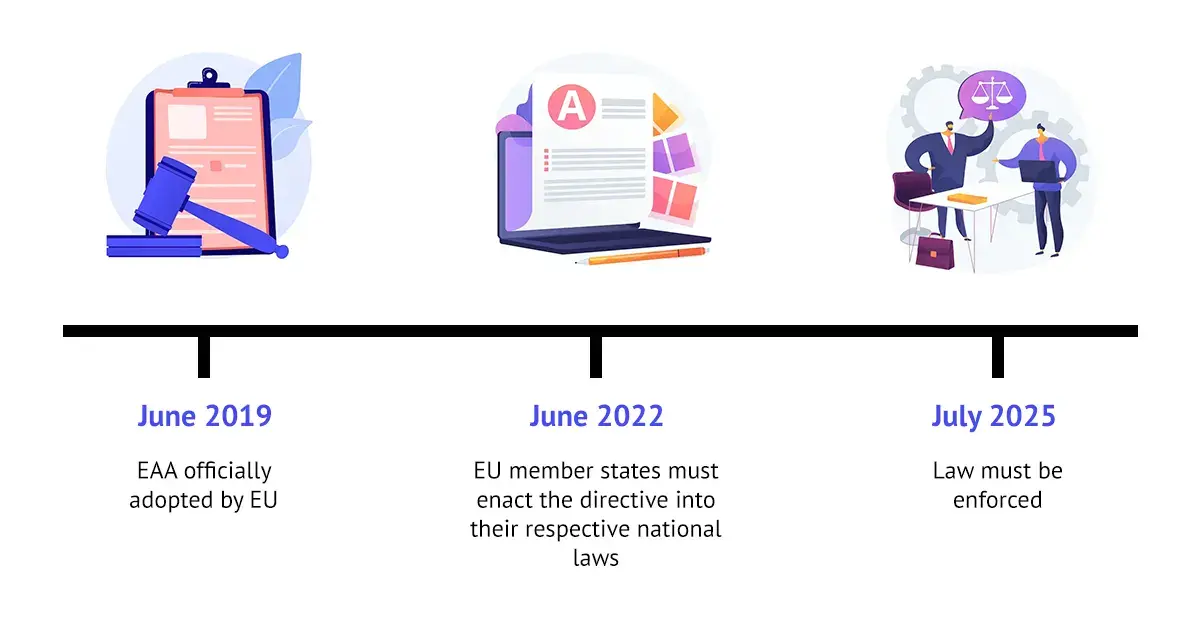
For companies affected by the European Accessibility Act, the countdown to compliance is on. By June 2022, all EU member states had translated and adopted the directive into their national laws. Now, the clock is ticking towards the mandatory enforcement of these regulations by July 2025.
The Value of PDF Accessibility
PDFs are everywhere in our digital lives – they’re go-to format for sharing digital information across various platforms and industries online. The EAA establishes crucial accessibility standards for digital products and services, prioritizing usability for individuals with disabilities. While it doesn’t specifically call out PDFs, the act highlights the vital role of PDF accessibility in achieving broader digital inclusion goals.
PDFs are everywhere online, popping up on almost every website as downloadable files packed with important information. Ensuring these PDFs are accessible means that individuals with disabilities can easily download and read the content using assistive technologies. This requirement is now part of the EU Accessibility Act, emphasizing the need for inclusivity in our digital spaces.
If you run a website that offers products or services, keep in mind that simply having an accessible site isn’t enough – your PDFs need to be accessible too. By doing so, you not only comply with regulations but also open the door for everyone to access the valuable information you provide.
Navigating PDF Accessibility
Making PDFs accessible can be a daunting challenge. Although the fixed layout of PDFs is great for sharing information, it often creates barriers for those using screen readers, making navigation difficult. To overcome these challenges, it’s essential to adopt a proactive approach when creating documents. The process of making existing PDFs accessible requires a strong foundation of knowledge in document accessibility and effective accessibility technology, which serves as a perfect add-on for making them accessible easily and hands-on. This ensures that your PDFs are compliant with accessibility standards and truly usable for all individuals.
PDF Accessibility Tools
If you are curious about your PDF and want to validate your file against the up-to-date accessibility standards, PDFix provides hands-on tools to check your file and compile results to see where your PDF does not comply. We have integrated an industry-supported PDF validator into our tools to ensure that your documents meet the latest standards for accessibility, specifically PDF/UA and WCAG.
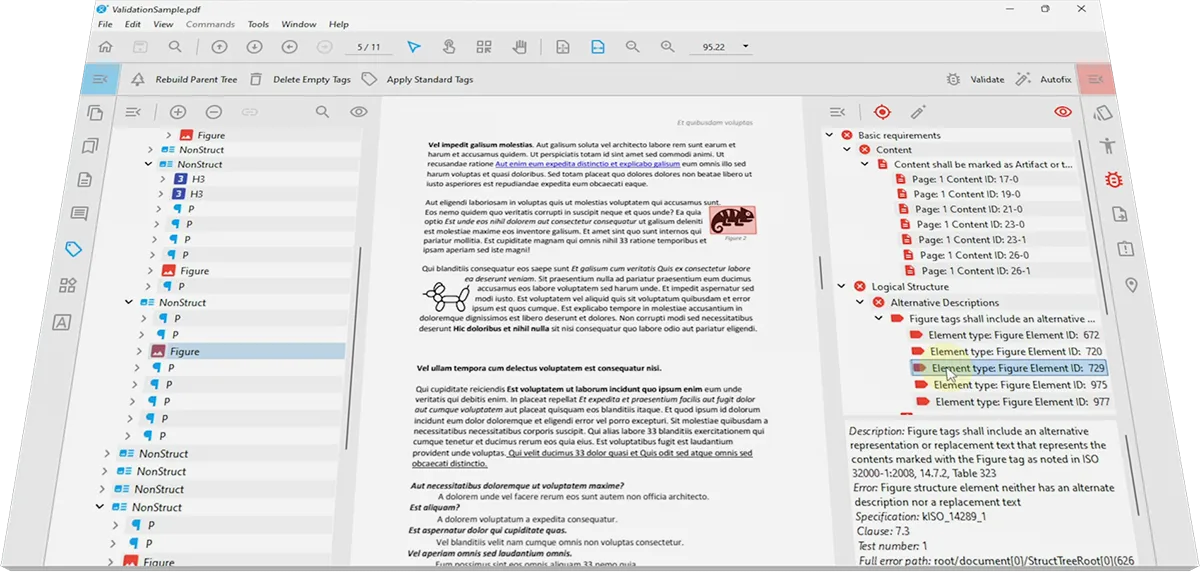
To get started, simply upload your PDF for free – no sign-up required – at Pdfix.io to receive immediate feedback about your document online. Additionally, you can download PDFix Desktop Lite, a free PDF accessibility checker. This is a great hands-on tool for instantly checking your files for accessibility.
Once the document is checked, you can make immediate fixes to your PDF with our Autofix button. We use advanced AI-powered technology in our tools to make the process as quick and user-friendly as possible. Our solutions focus on maximizing automation to allow basic users to create accessible PDF files without needing specialized knowledge.
Why not give it a try? Download the free version to check your files, and when you’re ready for advanced editing and fixing options, be sure to upgrade!
For Windows, Linux and macOS

Desktop Lite
PDFix Desktop Lite is a multiplatform PDF viewer with a built-in accessibility tool.

Desktop Pro
PDFix Desktop is a complex solution for PDF Accessibility, PDF Conversion and Data Extraction designed for professionals and businesses of all sizes.

SDK
PDFix SDK is a cross-platform solution to Automatically Extract Structured Data from any PDF.