PDFix SDK
PDF Accessibility Automation API
Auto-tag, remediate, validate and convert PDFs programmatically. 4 AI engines. 100% local processing. One command from untagged PDF to certified PDF/UA.
Windows · macOS · Linux · Free Trial
# AddTags.py
# import utils to load required shared libraries
from Utils import inputPath, outputPath, stream_to_data
from pdfixsdk import *
pdfix = GetPdfix()
if pdfix is None:
raise Exception('Pdfix Initialization fail')
doc = pdfix.OpenDoc(inputPath + "/test.pdf", "")
if doc is None:
raise Exception('Unable to open pdf : ' + pdfix.GetError())
# load template configuration from JSON file
tmpl = doc.GetTemplate()
if not tmpl:
raise Exception('Unable to open pdf : ' + pdfix.GetError())
PDF/UA
uA-1, UA-2, WCAG 2.2, Section 508, ADA, EAA
100 %
Local processing – on-premises
5 Languages
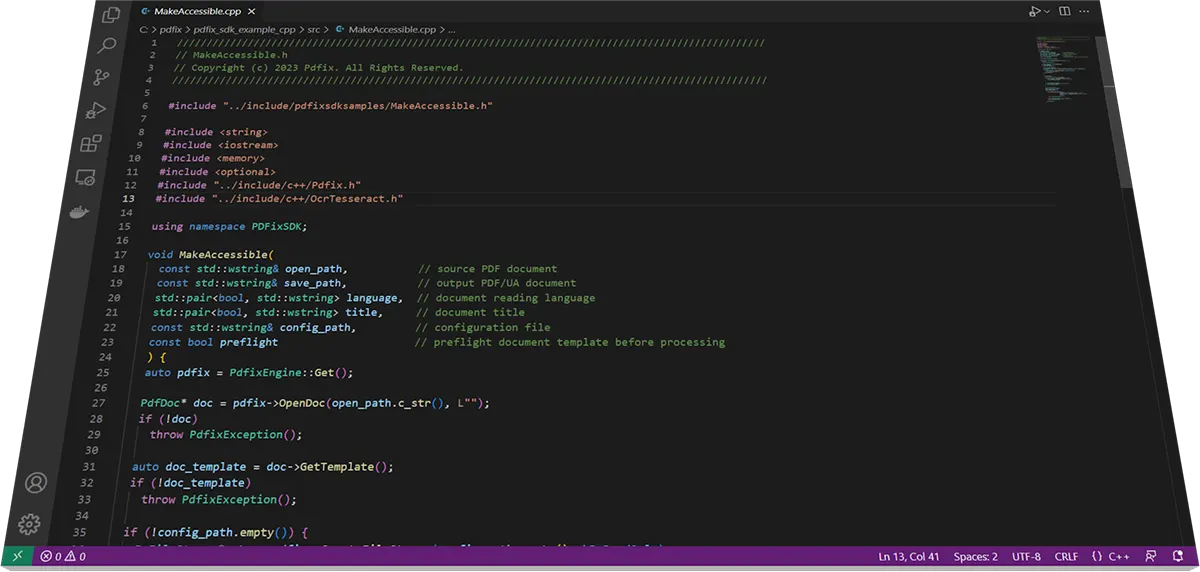
Python, Java, C++, .NET, JS
90%
Reduction in document processing time
WHAT PDFIX SDK DOES
PDF accessibility automation, data extraction and HTML conversion – one API
A high-performance C++ PDF library that covers three enterprise workflows via unified API or CLI.
No external dependencies required.
PDF accessibility automation PDF/UA & WCAG
Auto-tag PDFs for full PDF/UA and WCAG compliance. Fix structure, headings, Alt text, tables and reading order programmatically at any scale.
PDF data extraction – text, structure, tables and metadata
Extract structured data from PDFs for analytics, AI/ML pipelines and document processing systems. Output to JSON, XML, CSV.
PDF to HTML conversion – 3 rendering methods
Convert PDFs to HTML for web publishing, responsive rendering and accessible web content. PDF forms become HTML forms.
AUTO-TAGGING IN PDFIX SDK
Auto-tag PDFs – 4 workflow methods × 4 AI engines
Two decisions to make: which workflow method fits your document and volume, and which AI engine you want to use for AI-generated templates. Both decisions are independent – start with the method, then choose the engine.
HOW TO AUTO-TAG → CHOOSE A METHOD
BASIC
NO TEMPLATE
Fastest results, zero setup. SDK detects text, reading order, tables and lists automatically.
✓ Zero setup
PREFLIGHT
AUTO-GENERATED TEMPLATE
Preflight analyzes the document and auto-generates a layout template – better heading and footer detection.
✓ Best balance
✓ Automated analysis
AI-GENERATED
INTELLIGENT TEMPLATE
AI model generates a JSON template that guides PDFix SDK. Choose from 4 AI engines below.
✓ Most intelligent
✓ Adaptive
PRE-DEFINED
JSON TEMPLATE
Define structure once for your document type – invoices, statements, reports. Apply across thousands of files.
✓ Consistent results
✓ Enterprise-grade
What is a layout template?
Template-based auto-tagging is a deterministic approach – a precise JSON file describing the layout of a specific document type. PDFix SDK applies it to every document of the same type: same rules, same output, every time.
How it works
- Define rules in JSON → e.g. “find bold text at 12 pt → tag as Heading 2”
- Use text anchors instead of hard-coded coordinates → e.g. “word INVOICE → number to the right is the invoice ID”
- SDK matches elements and generates a fully PDF/UA-compliant tag tree
- Apply the same template across hundreds or thousands of documents – no manual work
Best for
Batches from the same source → invoices, bank statements, monthly reports, forms generated by InDesign or accounting systems. Reduces per-document tagging cost by 80%+
CHOOSE AI TAGGING ENGINE – FOR AI GENERATED TEMPLATES
IBM Docling
LOCAL · FREE
On-prem · European enterprise
Data never leaves your network. Runs via Docker. Ideal for finance, healthcare and government where data sovereignty is required.
Headings · Paragraphs · Tables · Images · Multi-column
Paddle AI
LOCAL · FREE
Highest layout accuracy · Formulas
Best for complex layouts, scientific and academic documents. Handles mathematical formulas. Runs locally via Docker.
Headings · Tables · Formulas · Math · Lists
Amazon Textract
CLOUD · PAID AWS
AWS-native · Scanned PDFs · OCR
Best for scanned PDFs and documents with inconsistent structure. AWS-native customers and hybrid cloud workflows – connects via AWS credentials.
OCR · Scanned PDFs · Tables · Forms · Handwriting
OpenAI
CLOUD · API KEY
Best AI Alt text · MathML · Tables
Best results for Alt text generation, table summaries and MathML for formulas. Enterprise-grade AI understanding of images and complex tables in context.
AltText · MathML · Table summaries · Image context
DEEP DIVE → Auto-Tag PDFs at Scale: AI & Template-Based Tagging with PDFix SDK – code examples, CLI commands and video for all 4 tagging methods
COMPLIANCE AUTOMATION PIPELINE
From untagged PDF to certified PDF/UA – automated compliance pipeline
PDFix SDK covers the complete PDF/UA compliance workflow end-to-end – from raw input to validated, compliant output – in a single automated pipeline.
Input PDF
Untagged or partially tagged
Auto-tag
Docling · Paddle · Textract · OpenAI
Make Accessible
One-command fix for PDF/UA issues
Validation
ISO 14289-1 validation
Accessible PDFs
PDF/UA compliant output
Validation Capabilities
veraPDF
ISO 14289-1 PDF/UA-1 compliance. 136 Matterhorn Protocol failure conditions. Machine-readable JSON/XML output for CI/CD. veraPDF guide →
INTEGRATION & DEPLOYMENT
Integrate PDFix SDK any way you want – 5 languages, CLI, Docker and Cl/CD
Every integration path is supported. On-premises or cloud, scripted or programmatic, desktop GUI or automated pipeline.
On-Premises
Data never leaves your network
CLI
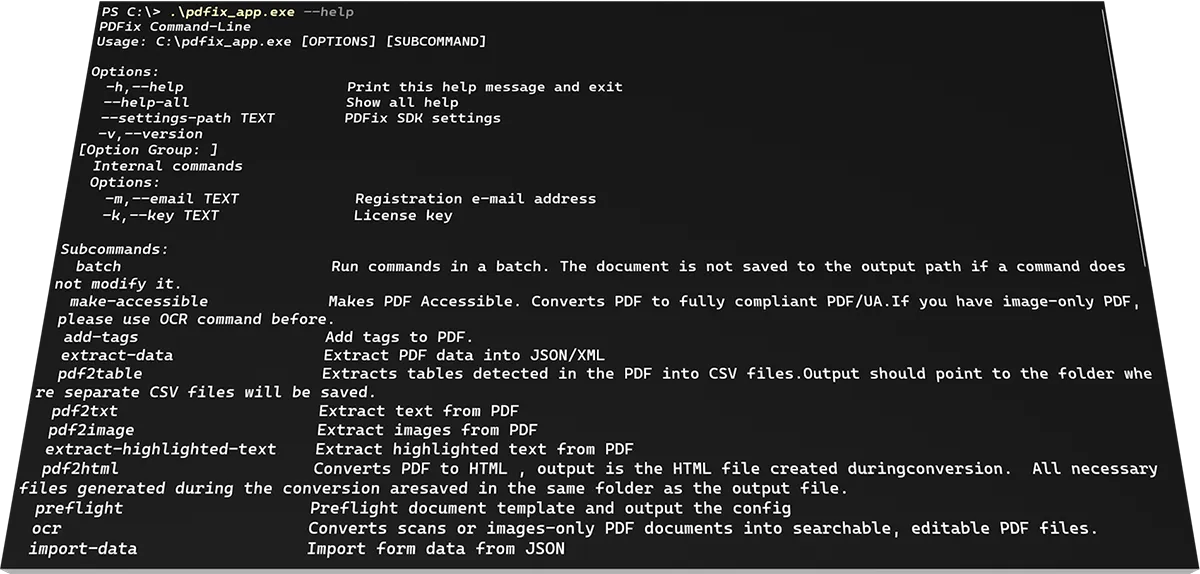
pdfix_app binary, scriptable
Docker
All AI actions as containers
Desktop GUI
PDFix Desktop for manual runs
Cl / CD
GitHub Actions, GitLab, cron
Disclaimer: PDFix provides tools and technology to assist in making your documents accessible, but we do not guarantee 100% document accessibility. Achieving full compliance requires human checks and intervention. Please note that PDFix is a technology provider, not a service provider. The responsibility for document compliance rests with the user.
Your PDF problems solved in a few hours
Download PDFix SDK – free trial, all features
Describe your project and our experts will craft a custom solution to save you time, money and headaches. Or start immediately – download the SDK and run your first auto-tag in under 5 minutes.