


Lucia Todova
Co-Founder | CTO of PDFix Technology


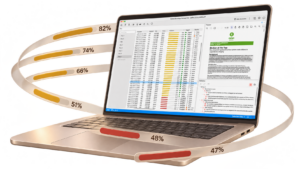
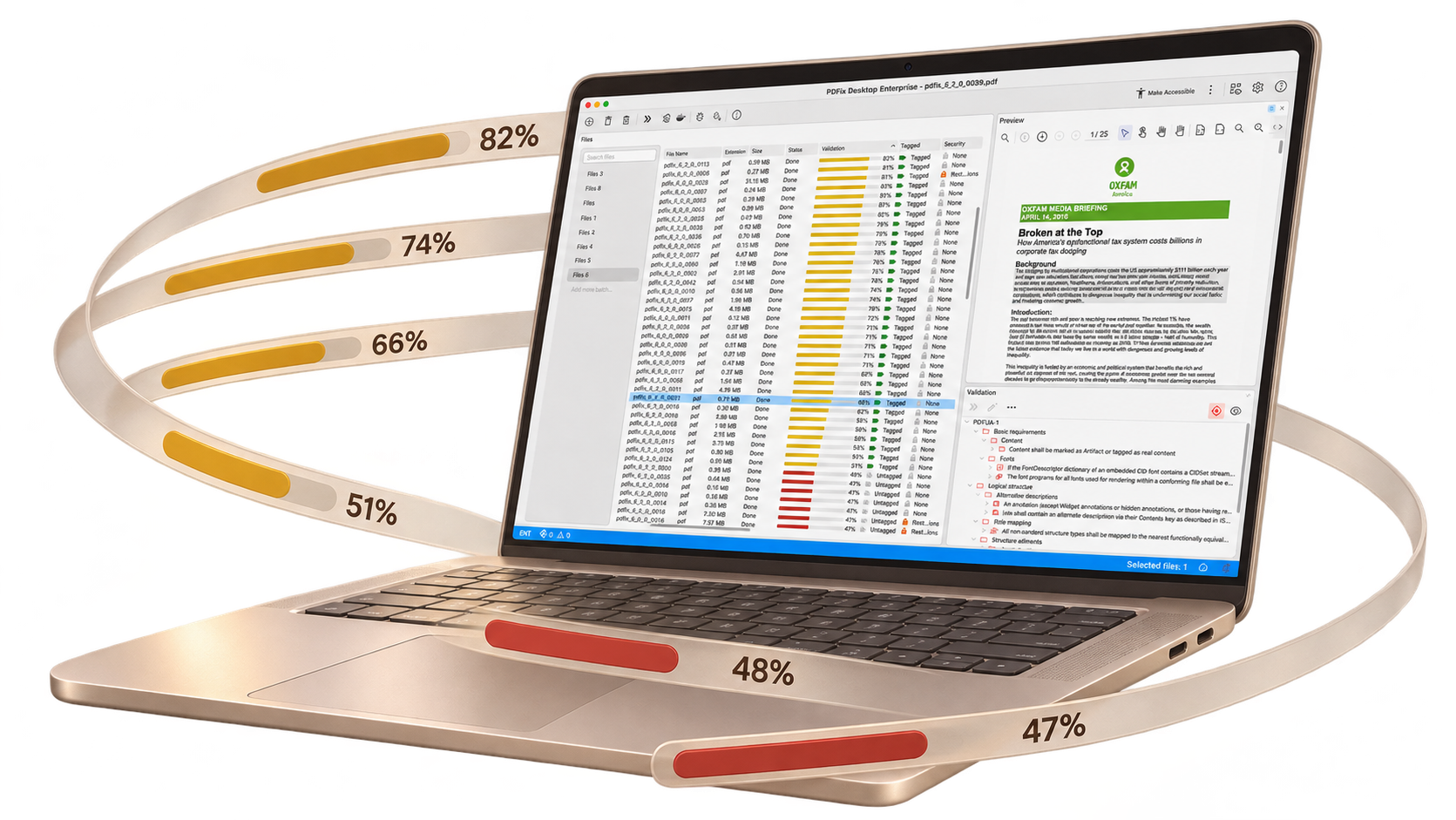
Quick Overview: PDFix Desktop 4.0 adds the Validation Score: one percentage per file that estimates how much remediation work is left. Validate a folder and sort by score to see which files are nearly done. Serious failures such as missing structure, broken tables or untagged links lower the score much more than leftovers like fonts. You can duplicate the built-in score, adjust the rule weights to fit your team, and share it as JSON. The PDF/UA pass or fail result still comes only from validation.
ON THIS PAGE
PDF/UA validation tells you the truth, but not the whole story. Run a file through validation and you get a precise list of every failed rule and every failed check. That’s great when you’re fixing one file. It’s less great when you’ve got a folder of 300 PDFs and a deadline.
Here’s the problem. One file fails 40 rules with 12,000 failed checks. Another fails a single rule. Which one needs more work? The pass/fail result says both are invalid. The error count says the first one is a disaster. Often, it’s the other way around. The 12,000 failures can be unmarked content and font leftovers that one batch action cleans up. The single failure can be a missing structure tree, which means the file needs tagging from scratch.
So in PDFix Desktop 4.0, we added a number that actually answers the question.
ONE NUMBER, NOT A WALL OF ERRORS
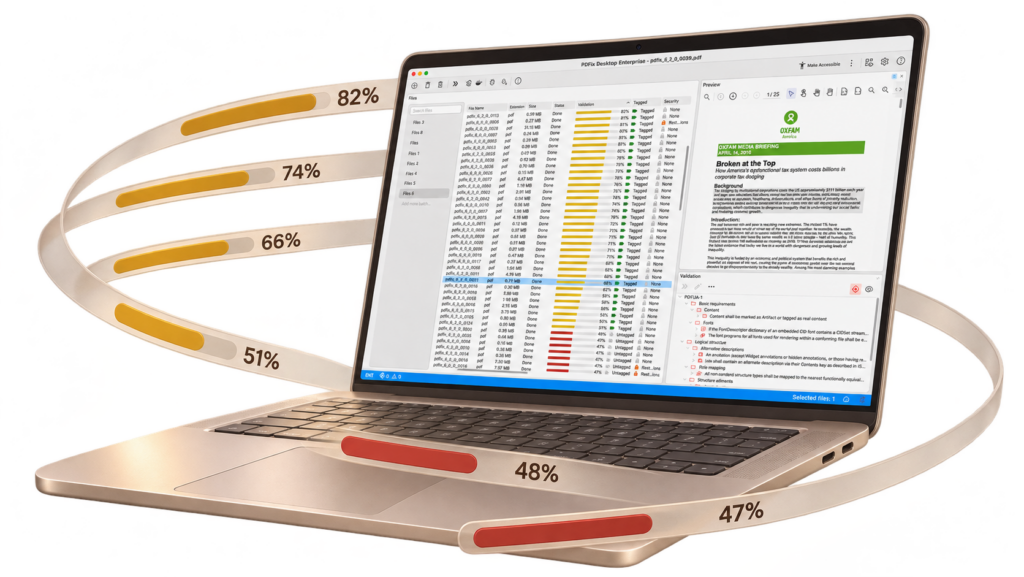
The Validation Score turns a validation report into one percentage: how close the file is to done. A score in the high 90s means a few finishing touches. 50% or lower means real remediation work.
❶ Validate a Folder and Sort by Score
Open a folder in PDFix Desktop and validate it. Every file in the Files list gets a score bar. Sort by it, and you see right away which files are nearly done and which ones need your attention first.
You’ll find the score in three places:
Want to know why a file scored 63%? Hover over the score. The tooltip lists the failed rules that pull it down, and the category each one falls into.
Read on!
❷ How Does PDFix Know Which Problems Are Hard?
Not every failed rule is equal. A missing structure tree is a much bigger job than a missing document title. So the score doesn’t just count errors. It weighs them by effort: how much work a problem takes with the tools PDFix gives you, not how serious it sounds on paper.
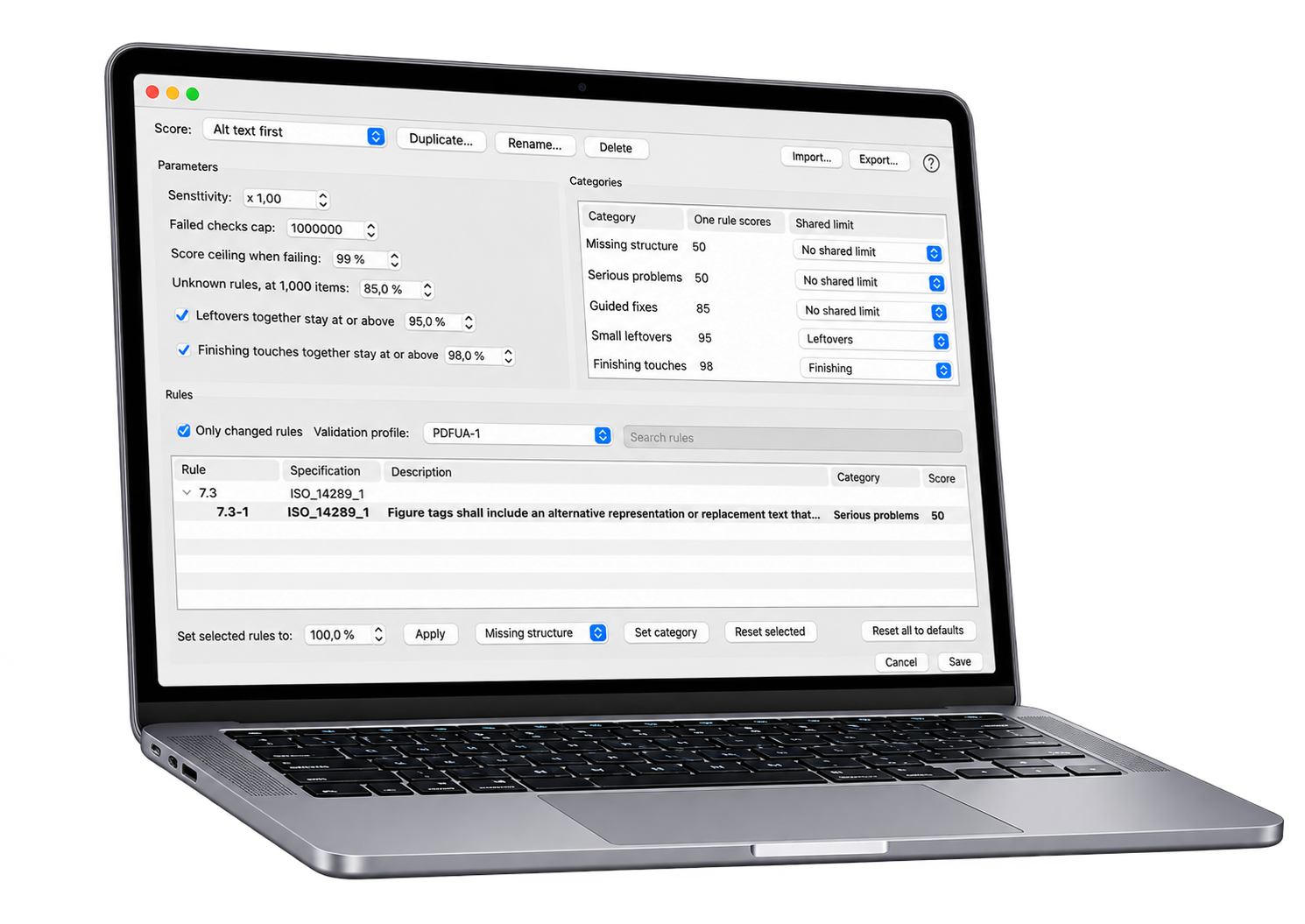
Every PDF/UA-1 and PDF/UA-2 rule belongs to one of five categories:
How Do Repeated Failures Change the Score?
More failures hurt, but less and less. One Serious rule scores 93% at 1 failure, 79% at 10, 63% at 100 and 50% at 1,000. Why? Because fixing the 900th untagged link is usually the same batch action as fixing the first one.
And the small stuff can’t sink a file. All Small leftovers together can’t pull the score much below 95%. All Finishing touches together stay around 98%. Twenty font and language leftovers still read as “almost done,” not as a disaster.
THE 30-SECOND RULE OF THUMB
Low score? Start with structure, tables, headings and links. High score with only leftovers? You’re almost there. Validate again to confirm the file passes.
How Is the Validation Score Calculated?
For readers who like the math, each failed rule adds its weight times a volume factor, and the total penalty P sets the score:
Either way, the score reads only the validation report. It never looks at the tag tree or the Tagged column.
❸ But My Team Cares About Alt Text More Than Fonts!
Fair enough. Not every team weighs problems the same way. One team reviews every image by hand, so missing alternate text is its biggest cost. Another works with forms and interactive documents, so untagged annotations matter most. A third handles print-ready files, where embedded fonts and Unicode mapping decide whether the text can be read aloud at all.
That’s why the score is yours to tune. Open the Validation score panel and click Edit…, or go to Preferences › Validation › Validation score › Edit. The built-in score is read-only, so click Duplicate to make your own copy. Find a rule, change its percent or move it to another category, and click Save. Then pick your score under Preferences › Validation › Validation score. Done.
A few ideas to get you started:
❹ Does a High Score Mean My PDF Is Compliant?
No. And this one matters. The score is an estimate of how much work is left, nothing more. Validation alone still decides whether a file actually passes PDF/UA, which is why a file with even one counted failure tops out at 99%.
Prefer a plainer view? Preferences has two more modes. Simple divides passed checks by total checks, the way validators have always counted, while Pass / Fail just puts a Valid or Invalid icon next to each file.
THE PDFIX DIFFERENCE
Other tools tell you a file failed. PDFix tells you how far it is from done, using weights your team can adjust and share.
Knowing where to start shouldn’t take longer than doing the work.
Try PDFix Desktop 4.0 free
Full-featured, no sign-up, no credit card – batch validate & fix your PDFs for PDF/UA compliance in one single view.
Saved files include a watermark in the free version.
Frequently Asked Questions
What is the PDFix Validation Score?
It is a percentage that PDFix Desktop shows for every validated PDF. It estimates how much remediation work is left, based on the failed rules in the PDF/UA validation report.
How is the Validation Score calculated?
Each failed rule lowers the score according to its category, from Missing structure to Finishing touches. More failures of one rule lower it further, but less and less. Small leftovers share one cap, so they cannot sink a file on their own.
Can I change how the Validation Score weighs rules?
Yes. Duplicate the built-in score, change any rule’s percent or category, and save it. You can export your score as JSON and share it with your team.
Does a 99% score mean my PDF passes PDF/UA?
No. A file that fails any counted rule stops at 99%. Only the validation result tells you whether a file is PDF/UA compliant.