

WCAG PDF Compliance
WCAG 2.1 and 2.2 Level AA for PDFs
Today, WCAG is the W3C accessibility standard behind ADA Title II, Section 508 and EN 301 549, the European standard used for the European Accessibility Act. It applies to PDF documents too, and all three require Level A and AA success criteria.
// Auto-tag, validate and fix PDFs against WCAG and PDF/UA in-house with PDFix Desktop and PDFix SDK
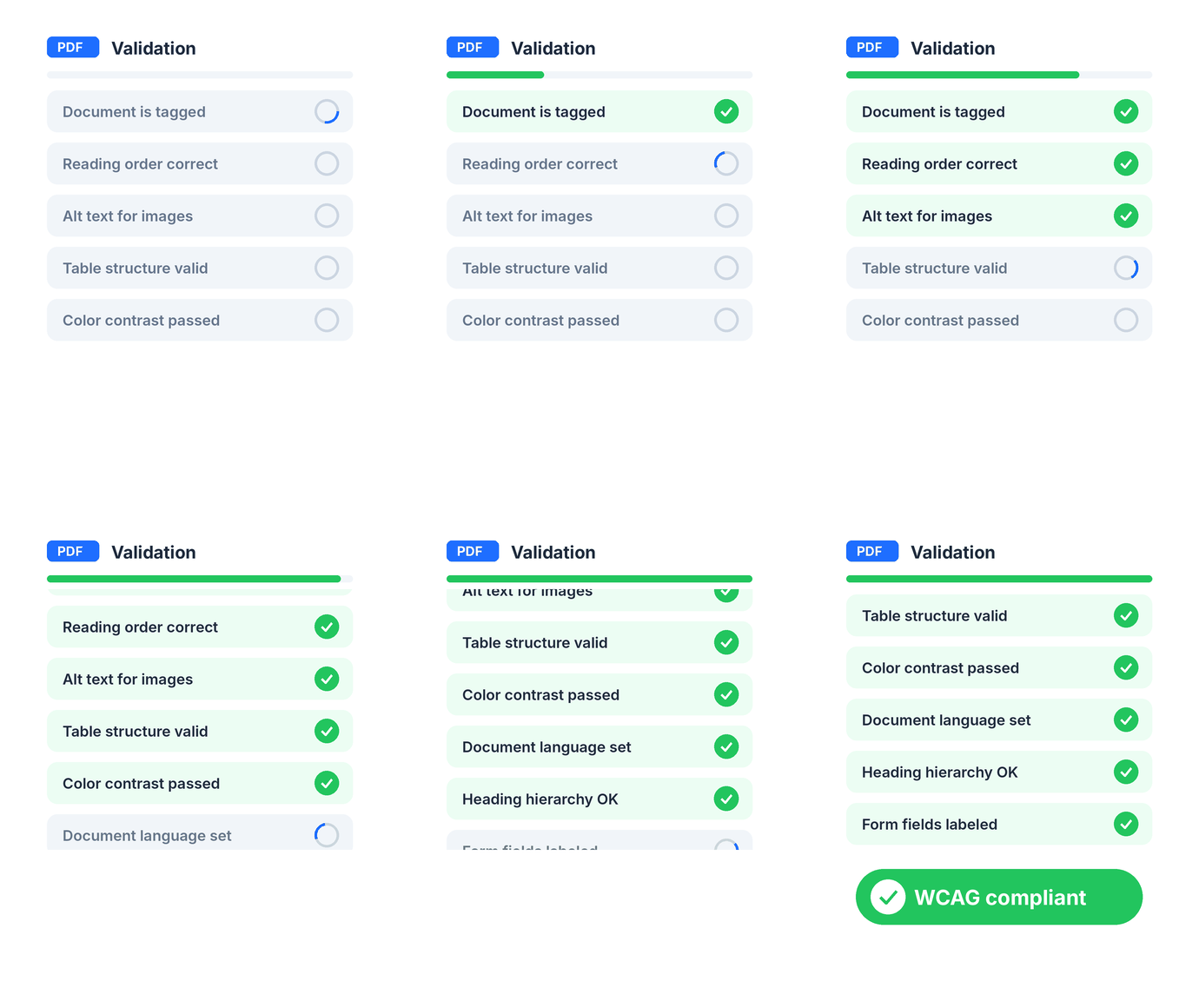
WCAG 2.2
The latest W3C version, published in October 2023
Level AA
The level ADA Title II, Section 508 and EN 301 549 require
ISO 40500
WCAG 2.2 is also the ISO standard ISO/IEC 40500:2025
100% Local
PDFix Desktop and SDK process PDFs on your own systems
THE STANDARD
What Is WCAG?
The Web Content Accessibility Guidelines (WCAG) are the W3C standard for accessible digital content. WCAG 2.2 has 13 guidelines under four principles: perceivable, operable, understandable and robust. In addition, each guideline has testable success criteria at three levels: A, AA and AAA.
WCAG was written for the web, but it can also be applied to non-web documents, as described in WCAG2ICT. W3C also publishes PDF Techniques that show how to meet WCAG success criteria in PDF files.
PDFix automates WCAG PDF remediation with auto-tagging, validation and auto-fix, so you can make PDFs accessible in-house.
WCAG versions are backwards compatible: content that conforms to WCAG 2.2 also conforms to WCAG 2.1 and WCAG 2.0. Even so, W3C encourages using the latest version.
Sources: W3C WCAG 2 Overview, WCAG 2.2, WCAG2ICT, W3C PDF Techniques
WHO REQUIRES WCAG
United States
ADA Title II for state and local governments, public schools and universities, and Section 508 for federal agencies.
European Union
The European Accessibility Act and the Web Accessibility Directive, through the European standard EN 301 549.
WCAG BY LAW
Which WCAG Version Does Each Law Require?
| Law or standard | Who it covers | WCAG requirement |
|---|---|---|
| ADA Title II | U.S. state and local governments, public schools and universities | WCAG 2.1 Level AA |
| Section 508 | U.S. federal agencies | WCAG 2.0 Level A and AA |
| EN 301 549 (European Accessibility Act, Web Accessibility Directive) | Covered products and services in the EU, and public sector bodies | WCAG 2.1 Level AA (V3.2.1); WCAG 2.2 in V4.1.1 |
Note: EN 301 549 V4.1.1, published in September 2026, moves to WCAG 2.2. Until the European Commission cites it in the Official Journal of the EU, V3.2.1 (WCAG 2.1 Level AA) remains the reference. A PDF that meets WCAG 2.2 Level AA also meets WCAG 2.1 and 2.0. Read more about ADA Title II, Section 508 and the European Accessibility Act.
Sources: Federal Register (2024), Section508.gov, AccessibleEU (European Commission), W3C
FOR PDFs
How WCAG Applies to PDFs
W3C PDF Techniques show how PDF features meet WCAG success criteria, for example:
⌗ Structure and Reading Order
Tagged headings, tables and lists (1.3.1 Info and Relationships) and a logical reading order (1.3.2 Meaningful Sequence).
☰ Text Alternatives and Metadata
Alt text for images (1.1.1 Non-text Content), a document title (2.4.2 Page Titled) and a document language (3.1.1 Language of Page).
✓ PDF/UA
PDF/UA (ISO 14289) sets the rules for building accessible PDF files. At the same time, the PDF Association recommends following WCAG for content and using software that meets PDF/UA. What is PDF/UA? →
Scans and forms: Scanned PDFs need OCR so that images of text become real text (1.4.5 Images of Text). Similarly, form fields need labels (3.3.2 Labels or Instructions) and a name, role and value (4.1.2). Sources: W3C PDF Techniques, PDF Association
Trusted by Enterprises, Governments & Universities
Corporations











Government






Education







California Courts






PDFIX CASE STUDIES
How Organizations Make PDFs WCAG Compliant
See how a global bank, a digital library and a public research university automated PDF accessibility with PDFix.
Deutsche Bank
Millions of customer PDFs a month, accessible at creation
The Challenge: The bank generates millions of PDF documents a month through its Customer Communication Management platform, and every document also contains sensitive customer data.
THE SOLUTION: PDFIX SDK ENTERPRISE
- JSON layout template for each document type
- Automated tagging as each PDF is generated
- Automated validation before distribution
RESULTS
- Millions of PDFs processed a month
- 99% automation with a high first-pass compliance rate
- 100% in-house processing, targeting PDF/UA and WCAG 2.2
ITHAKA / JSTOR
On-demand PDF remediation for a digital library on AWS
The Challenge: A collection ranging from born-digital files to scanned PDFs with patchy OCR. Because manual remediation costs $1–4 per page, remediating everything upfront was not realistic.
THE SOLUTION: PDFIX SDK + VERAPDF ON AWS
- PDFix structural tagging: headings, paragraphs, lists, tables
- Amazon Bedrock alt text for images and charts
- veraPDF validation against PDF/UA
- On-demand processing on AWS
RESULTS
- 98% accessibility check pass rate
- $0.026 per page vs $1–4 manual
- About 2 months to production
The Ohio State University
Faculty-driven accessibility for 65,000+ students
The Challenge: Thousands of PDFs are created across hundreds of academic departments, such as STEM content with equations, diagrams and technical charts.
THE SOLUTION: PDFIX DESKTOP ENTERPRISE
- Make Accessible command for automated remediation
- Built-in veraPDF validation pane
- Manual tag editing for complex academic content
RESULTS
- 70%+ automation
- Thousands of documents a month in batch
- Faculty create accessible course materials independently
WHAT GOES WRONG
Common WCAG Failures in PDFs
Missing or Incorrect Tags (1.3.1)
Reading Order (1.3.2)
Alternative Text (1.1.1)
Form Failures (3.3.2, 4.1.2)
Metadata Problems (2.4.2, 3.1.1)
Table Structure Failures (1.3.1)
PDFix finds and fixes many of these automatically. However, some, such as whether alt text is meaningful, still need human review. Numbers refer to WCAG success criteria.
PDFIX SOLUTION
WCAG PDF Remediation Software: PDFix Desktop and PDFix SDK
REMEDIATE
PDFix Desktop Pro
Purpose-built for accessibility professionals and content creators who need efficient PDF remediation.
- Auto-tagging with AI layout recognition or layout templates
- Built-in WCAG and PDF/UA validation (veraPDF)
- Auto-fix
- Manual editing tools
- Validation reports
INSTITUTION-WIDE
PDFix Desktop Enterprise
Centralized management for large institutions: an enterprise-grade solution for organizations requiring organization-wide deployment, batch processing, multi-user workflows and centralized institutional reporting.
INTEGRATE AND AUTOMATE
PDFix SDK
Developer toolkit for building accessibility automation into document generation, content and document management systems.
- Programmatic processing · batch automation · custom workflows
- Runs on your own servers
- Documents stay in your environment
- OCR for scanned documents
- Tens of pages per second per core
WHY PDFIX
Why Organizations Choose PDFix
★ Proven track record
Used by Deutsche Bank, ITHAKA/JSTOR and The Ohio State University.
⤓ Free WCAG checker
PDFix Desktop Lite checks PDFs against WCAG 2.1, WCAG 2.2 and PDF/UA for free, with the built-in veraPDF engine.
⛨ Security
Local processing on your own systems.
$ Cost-effective at scale
Less manual remediation time, automated remediation for standard documents, less reliance on outsourced remediation, existing staff produce accessible documents.
✓ Standards and validation
WCAG 2.1 and 2.2 Level AA, PDF/UA-1 and PDF/UA-2 (ISO 14289) checks with the built-in veraPDF engine, plus exportable validation reports.
Frequently Asked Questions
What is WCAG?
WCAG (Web Content Accessibility Guidelines) is the W3C standard for making digital content accessible to people with disabilities. The latest version, WCAG 2.2, was published in October 2023 and is also the ISO standard ISO/IEC 40500:2025.
Does WCAG apply to PDF documents?
Yes. W3C states that WCAG can also be applied to non-web documents, as described in WCAG2ICT, and publishes PDF Techniques for meeting WCAG in PDF files. In the U.S., Section 508 applies WCAG 2.0 to PDF documents, while the ADA Title II rule covers PDFs that state and local governments provide online.
Which WCAG version does my organization need?
It depends on the law. For example, ADA Title II requires WCAG 2.1 Level AA. Section 508, on the other hand, requires WCAG 2.0 Level A and AA. EN 301 549 V3.2.1, the current EU reference, is based on WCAG 2.1 Level AA, and V4.1.1 moves to WCAG 2.2. Because WCAG is backwards compatible, a PDF that meets WCAG 2.2 Level AA also meets WCAG 2.1 and 2.0. This is general information, not legal advice.
What is the difference between WCAG 2.1 and WCAG 2.2?
WCAG 2.2 adds 9 success criteria to WCAG 2.1 and removes 4.1.1 Parsing as obsolete. Otherwise, the WCAG 2.0 and 2.1 success criteria are essentially the same in WCAG 2.2.
What is the difference between WCAG and PDF/UA?
WCAG sets accessibility requirements for content. PDF/UA (ISO 14289), by contrast, sets requirements for building accessible PDF files. The PDF Association calls them complementary and recommends following WCAG when creating content and using software that meets PDF/UA to produce the PDFs.
Does PDF/UA conformance mean WCAG conformance?
Not automatically. The PDF Association notes that conformity to PDF/UA by itself does not necessarily ensure that a document’s content is accessible. Items such as meaningful alt text still need human review.
Which WCAG success criteria apply to PDFs?
W3C PDF Techniques map PDF features to success criteria, for example 1.1.1 Non-text Content (alt text), 1.3.1 Info and Relationships (tags for headings, tables and lists), 1.3.2 Meaningful Sequence (reading order), 2.4.2 Page Titled (document title), 3.1.1 Language of Page (document language) and 4.1.2 Name, Role, Value (form fields).
How do I test a PDF for WCAG?
Start with an automated checker, then review the rest manually. For example, veraPDF, built into PDFix Desktop and the free PDFix Desktop Lite, validates PDFs against PDF/UA and WCAG profiles. Some criteria, such as whether alt text is meaningful, need human judgment.
Can WCAG PDF compliance be automated?
Much of it can. PDFix Desktop auto-tags, validates and fixes PDFs, including in batch. Similarly, PDFix SDK builds the same automation into document generation and document management systems. Manual review is still needed for items like meaningful alt text.
Make Your PDFs WCAG Compliant
First, check your PDFs against WCAG for free. Then fix the documents people use most, and finally make sure every new PDF you publish is accessible.
Contact us to discuss your project and we will tailor an accessibility solution that meets your needs and compliance.